
Everything in SEN Patterns

Logging the day
Quick to fill in on a bad day, and kind about the days you miss.
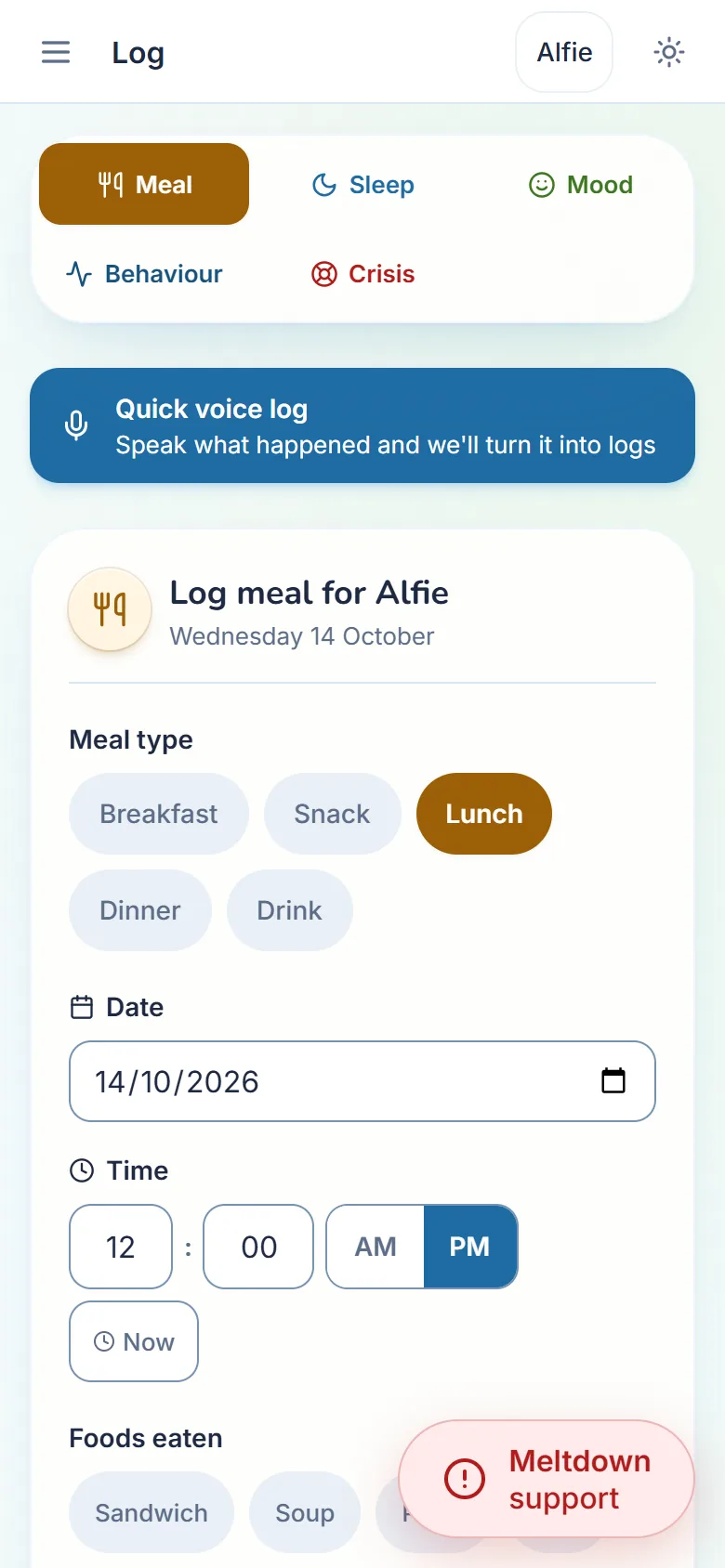
- Sleep
- Night or nap. Log the bedtime when it happens and the wake time in the morning, or the whole night at once.
- Meals
- What was on the plate and how it went, with a photo if you like. The foods your child has most often come first.
- Mood
- How the day felt, and what seemed to set it off.
- Behaviour
- What happened, what came before and what helped. One entry can hold more than one behaviour, because a hard moment rarely looks like just one thing.
- Meltdowns
- Written down once things are calm, with what helped, so next time there is something to go on.
- Calendar
- Every entry on a month view, with appointments and school events alongside.
- Voice loggingFamily plan
- Say what happened in your own words and it becomes proper entries — meals, sleep, mood, behaviour — without typing any of it.
- Read a photo of the plateFamily plan
- Take a picture of a meal and the foods are suggested for you, ready to accept or change, instead of tapping each one in. Attaching the photo itself is free on every plan.
Each day
The daily overview is built from what you have told it about your child, not from a template.
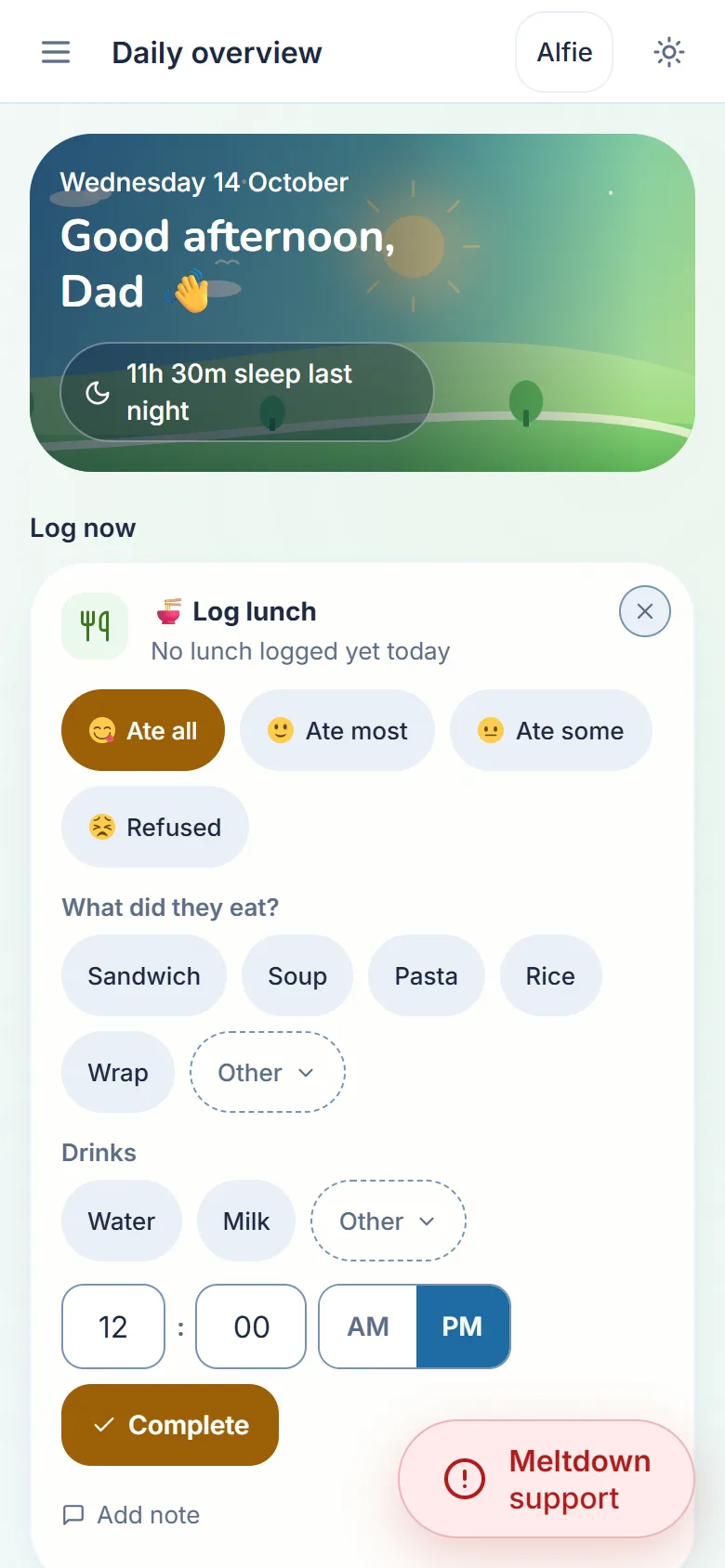
- Today’s support plan
- A few suggestions for today, from your child’s profile and recent days, each with the reason behind it.
- Routine
- Your child’s morning and evening steps, ticked off as you go.
- Check-in
- One tap to say how the day went.
- For you
- A short line for you, the parent, each day. Not about your child, about you.
- Brains like mine
- A well-known person or a much-loved story character each day, to start a conversation about brains that work differently. People alive today are included only when they have shared it in public.
In the hardest moments
Meltdown support, a tap away on every screen of the app. Free on every plan, always.
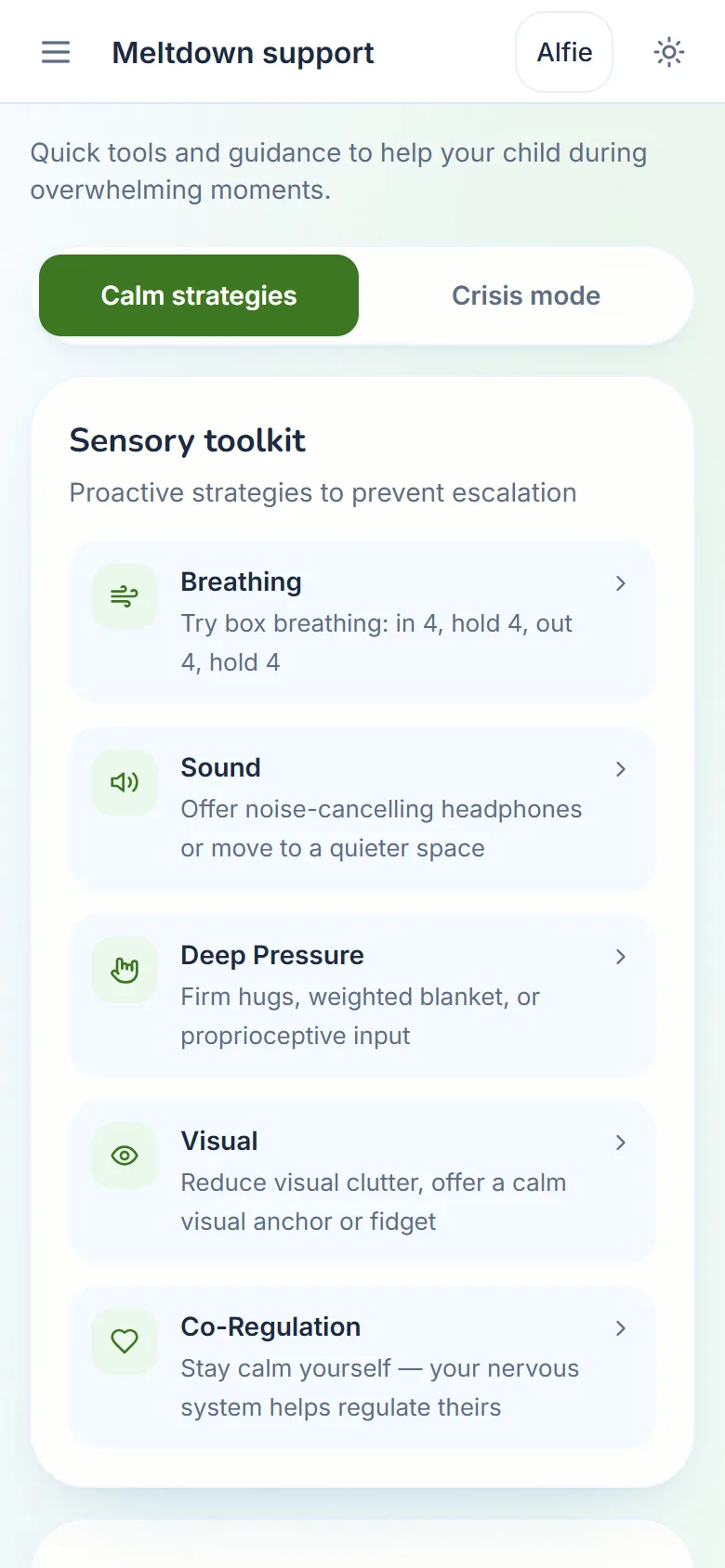
- Calm steps
- What to do now, one short step at a time, starting with safety.
- Sensory toolkit
- Breathing, sound, deep pressure and more, each with a few things to try.
- Communication cards
- Ready-made cards such as “I need a break” and “Too loud”, plus your own. Tap one and it is read aloud.
- People who can help
- Your own emergency contacts first, then the main UK helplines, each a tap away.
- What helped
- Afterwards, a moment to note what helped, so the plan for next time is your child’s own.
Seeing what helps
Patterns reads your logs back to you. It says only what is in them, and nothing until there is enough to go on.

- Patterns, in wordsFamily plan
- A plain-language read of the last month or more: what seems to help, sleep, which days are hardest, meals and school. It never diagnoses or scores your child.
- Patterns, in chartsFamily plan
- Sleep, mood, behaviour and school over a week, a month, three months or six.
- Observations after you logFamily plan
- A short note after an entry, written by AI (Google Gemini) from your child’s profile and what you have logged. Off until you say yes, and any note can be reported in one tap.
- Summary emailsFamily plan
- A short Monday email about the week, a fuller one at the start of each month, or both, for each child.
School
For the annual review, the SENCO meeting, or the term you need to explain from start to finish.

- School details
- The school, the SENCO’s details and how your child gets on with school, kept with their profile.
- Logging school daysFamily plan
- Record how each school day went — a rating, quick tags for what came up, and your own notes — so the term is written down as it happens instead of remembered later. Every school day you have already recorded stays yours to read, change or delete, on any plan.
- A school recordFamily plan
- Incidents with the time and how serious they were, teacher notes and behaviour plans, all dated and in one place.
Your child, written down
So you are not the only one who knows what helps.

- Profile
- Who your child is: what they find hard, what helps, their senses, how they communicate and what they love.
- One-page profile to print
- For a babysitter, a new teacher or a club. Print it or save it as a PDF.
- A report to take to appointmentsFamily plan
- One child and the dates you choose, as a PDF: who they are and what helps, how sleep, mood, meals and behaviour have gone, the school record and the written observations.
- Download everything
- Every entry you have ever made, whenever you want it, on any plan.
Support near you, and things to read
Local services and short guides, for the questions that come at ten at night.
- Nearby support
- The closest few services near you, with GPs, therapists and child and adolescent mental health services (CAMHS) first.
- All the support near youFamily plan
- Every sensory and SEND activity, support group and charity nearby, and search any area: a grandparent’s town, a school’s area, or somewhere you might move to.
- Information hub
- Short guides written for parents, on sleep, meltdowns, school, safety and more, with printable visual supports: a visual timetable, a first-then board, a choice board and an emotion chart.
Doing it together
For the people who share the load.
- Share with another carerFamily plan
- Invite a partner, co-parent or grandparent into the same household, so you are not the only one who knows how the week went.
- More than one child
- Free covers up to two children. Family covers as many as you need.
Built for tired days
All free. Settings holds the first five, and each is remembered on the device you set it on.
- Larger text
- Text a size larger, everywhere.
- High contrast
- Stronger text and edges.
- Less motion
- Animations switched off.
- A simpler view
- Flatter, quieter screens.
- Read aloud
- Many cards and guides can be read to you.
- Light or dark
- Whichever is easier on your eyes, from the switch at the top of the app.
See it in order
How it fits together, from the first few questions to the next meeting. How SEN Patterns works